2026-10-19 — work
Licker
Turn the bit you want to learn into a place to practise.
The passage I want to learn is usually a few seconds inside a much longer video. Finding it again, setting the speed and getting the loop right kept interrupting the actual practice.
Licker makes that passage a saved practice clip. I can trim it, slow it down without changing the pitch, loop it and return to it in the next session.
The passage becomes the project
Mermaid source ↓Scroll to explore · Pele
The useful shift is from watching a video to working on a particular musical idea. The clip keeps the boundaries and settings I chose, so the next session starts with something ready to play.
Analysis helps me find my way around: bars, chord suggestions and possible passages. My ears still get the final say. I can correct the musical draft and keep those decisions when the analysis runs again. Changing a chord label changes what I see; the recording remains the recording.
Playback follows the same priority: the sound sets the pace and the video follows. Slowing down and repeating a passage should help me stay with the guitar.
I use the local app to prepare the library. A protected hosted version serves prepared practice material.
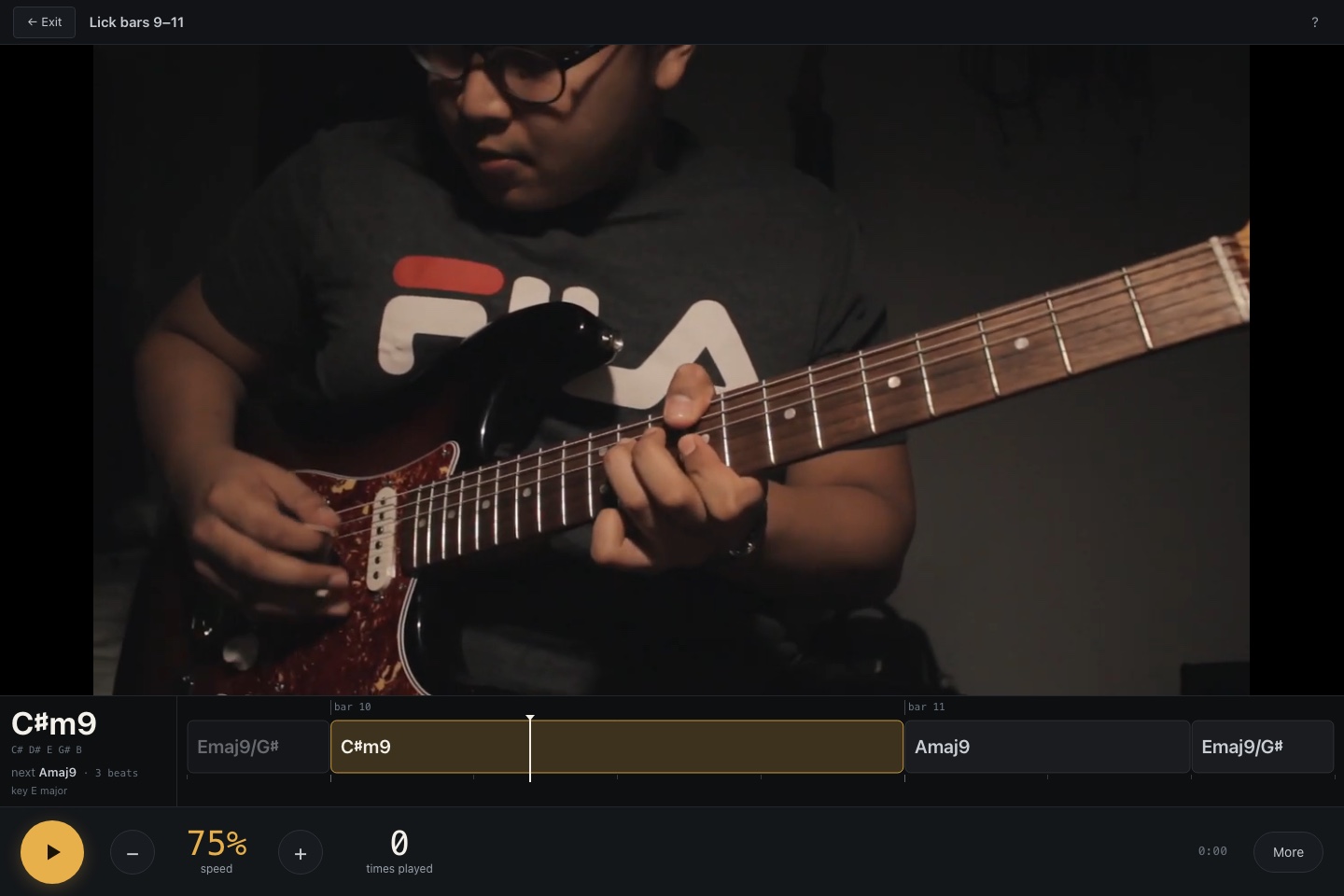 Training keeps the video, chord timeline and speed control together. Open full size.
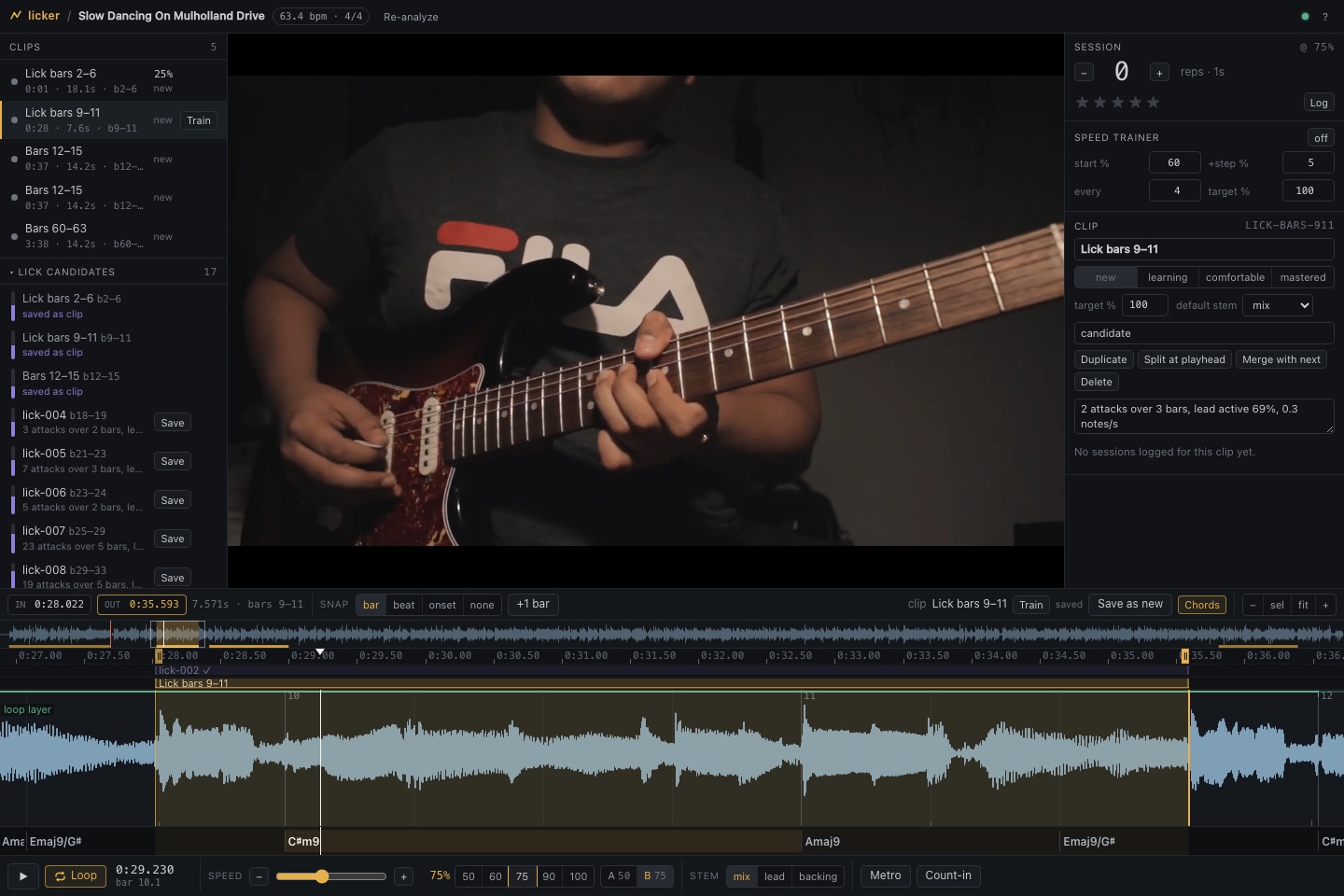 A saved passage sits on the waveform with editable boundaries and snapping controls. Open full size.
Back to all work